Every day, billions of emails travel across the internet carrying sensitive information — financial details, medical records, personal conversations, and business secrets. Yet most people send emails with roughly the same level of privacy as writing on a postcard. Anyone handling that postcard along the way can read what it says.
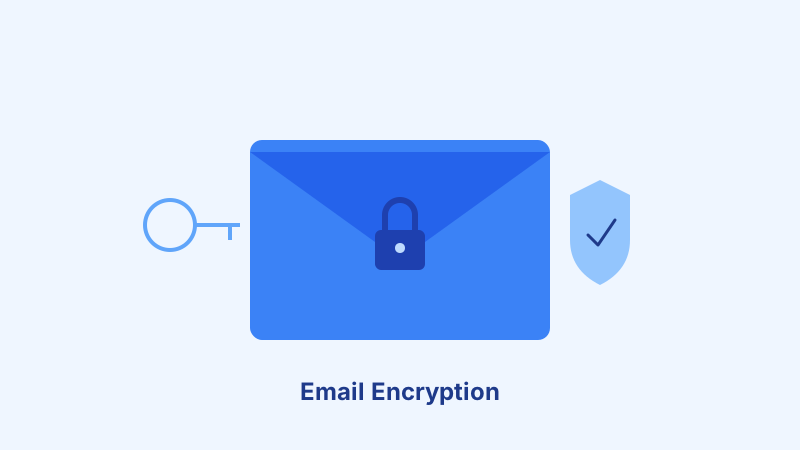
Email encryption changes that. It transforms your readable messages into scrambled code that only the intended recipient can decode. If you’ve ever wondered how to keep your email conversations truly private, this guide will walk you through everything you need to know — without the technical jargon.
Why Your Emails Aren’t as Private as You Think
When you hit “send” on an email, your message doesn’t travel directly to the recipient. It passes through multiple servers, internet service providers, and network nodes before arriving at its destination. At each stop along the way, your message could potentially be read, copied, or intercepted.
Most major email providers like Gmail, Outlook, and Yahoo use transport encryption (TLS) to protect emails while they’re in transit between servers. Think of this as an armored truck carrying your postcard — the truck is secure, but anyone who opens it can still read the postcard inside. Your email provider can still read your messages, and so can anyone who gains access to their servers.
This matters more than most people realize. Email providers scan your messages for advertising purposes, government agencies can request access to your emails through legal processes, and data breaches at major companies have exposed millions of private messages. Without proper encryption, your emails are only as private as the companies handling them choose to make them.
How Email Encryption Actually Works
Email encryption uses mathematical algorithms to convert your readable message (called plaintext) into an unreadable scrambled version (called ciphertext). Only someone with the correct decryption key can convert it back to readable text.
There are two main approaches to email encryption, and understanding the difference is important for choosing the right solution.
Symmetric Encryption
Symmetric encryption uses a single key for both encrypting and decrypting messages. Imagine you and a friend share a secret codebook — you both use the same book to encode and decode messages. The challenge is getting that codebook to your friend securely in the first place. If someone intercepts the codebook, they can read all your messages.
Asymmetric Encryption (Public Key Encryption)
Asymmetric encryption solves this problem by using two mathematically related keys: a public key and a private key. You share your public key freely with anyone who wants to send you encrypted messages. They use your public key to encrypt their message, but only your private key — which you never share — can decrypt it.
Think of it like a mailbox with a slot. Anyone can drop a letter through the slot (encrypt with your public key), but only you have the key to open the mailbox and read the letters inside (decrypt with your private key).
Understanding End-to-End Encryption
End-to-end encryption (E2EE) is the gold standard for email privacy. With E2EE, your message is encrypted on your device before it ever leaves, and it stays encrypted until the recipient decrypts it on their device. No one in between — not your email provider, not your internet service provider, not even the encryption service itself — can read your message.
This is fundamentally different from transport encryption. With transport encryption, your email provider can still read your messages while they sit on their servers. With end-to-end encryption, even if a hacker breaks into the email provider’s servers, all they find is scrambled nonsense without the private keys needed to decode it.
End-to-end encryption ensures that the only two people who can read a message are the sender and the intended recipient. For anyone serious about protecting their personal data, E2EE email is one of the most effective tools available.
Popular Email Encryption Methods
PGP/GPG (Pretty Good Privacy)
PGP has been around since 1991 and remains one of the most trusted encryption standards. Its open-source version, GPG (GNU Privacy Guard), is freely available and widely supported. PGP uses a combination of symmetric and asymmetric encryption for both security and speed.
The main challenge with PGP is that it requires both sender and recipient to set up and manage their encryption keys. While powerful, this can be intimidating for non-technical users. However, many modern email clients and plugins have simplified the PGP experience significantly.
S/MIME (Secure/Multipurpose Internet Mail Extensions)
S/MIME is built into many corporate email systems and major email clients like Outlook and Apple Mail. Instead of managing keys yourself, S/MIME relies on digital certificates issued by trusted certificate authorities — similar to the certificates that secure HTTPS websites.
S/MIME is often easier to set up in corporate environments because IT departments can manage certificates centrally. However, obtaining personal S/MIME certificates can involve a cost, and both sender and recipient need valid certificates.
Encrypted Email Providers
Services like ProtonMail, Tutanota, and Mailfence build encryption directly into their platforms. When both sender and recipient use the same service, emails are automatically end-to-end encrypted without any setup required.
These providers also offer ways to send encrypted messages to people using other email services, usually through a password-protected link. This is the simplest path to encrypted email for most people.
How to Start Using Encrypted Email
Getting started with email encryption doesn’t have to be complicated. Here’s a practical approach based on your comfort level and needs.
Option 1: Switch to an Encrypted Email Provider
The easiest way to start using encrypted email is to sign up for a privacy-focused email service. ProtonMail is the most popular choice, offering a free tier with basic features. The setup is as simple as creating any other email account, and emails between ProtonMail users are automatically end-to-end encrypted.
To send encrypted emails to people outside the service, you can use the password-protected message feature. You set a password, share it with the recipient through a different channel (like a phone call or text message), and they use that password to read your message through a secure web link.
Option 2: Add Encryption to Your Existing Email
If you prefer to keep your current email address, you can add encryption capabilities through browser extensions or email client plugins. Mailvelope is a popular browser extension that adds PGP encryption to webmail services like Gmail and Outlook. FlowCrypt is another option that integrates PGP encryption directly into Gmail.
These tools handle the complex parts of key generation and management while giving you a relatively simple interface for sending and receiving encrypted messages.
Option 3: Use Built-in Encryption Features
Some email services offer built-in encryption options that are easy to overlook. Gmail’s Confidential Mode lets you set expiration dates and prevent forwarding, though it’s not true end-to-end encryption. Outlook offers S/MIME encryption for Microsoft 365 subscribers, and Apple Mail supports S/MIME if you install a certificate.
Managing Your Encryption Keys Safely
If you use PGP or S/MIME, managing your encryption keys properly is crucial. Your private key is the most sensitive piece of the puzzle — if someone obtains it, they can read all messages encrypted with your public key.
Store your private key in a secure location, ideally protected by a strong passphrase. Consider using a password manager to store your key passphrase securely. Back up your private key to an encrypted storage device, because losing it means losing access to all your encrypted messages permanently.
Your public key, on the other hand, should be shared freely. Upload it to public key servers, include it in your email signature, or post it on your website. The more accessible your public key is, the easier it is for people to send you encrypted messages.
Common Misconceptions About Email Encryption
“I Have Nothing to Hide”
Privacy isn’t about hiding wrongdoing — it’s about maintaining control over your personal information. You close the bathroom door not because you’re doing something wrong, but because some things are simply private. The same principle applies to your communications.
“Encryption Is Only for Tech Experts”
While encryption used to require significant technical knowledge, modern tools have made it accessible to everyone. Encrypted email providers offer the same user-friendly experience as any other email service. You don’t need to understand the mathematics behind encryption to benefit from it.
“My Email Provider’s Security Is Enough”
Transport encryption protects your emails in transit, but it doesn’t prevent your provider from reading them on their servers. If privacy from all third parties matters to you, you need end-to-end encryption on top of transport security.
“Encryption Slows Down Email”
Modern encryption happens so fast that you won’t notice any delay. The encryption and decryption processes take fractions of a second, even on older devices. The user experience of sending an encrypted email is virtually identical to sending a regular one.
Email Encryption on Mobile Devices
Keeping your emails encrypted on mobile devices is just as important as on your computer, especially since phones are more easily lost or stolen. Most encrypted email providers offer dedicated mobile apps that handle encryption seamlessly.
ProtonMail and Tutanota both have iOS and Android apps that provide the same end-to-end encryption as their web versions. If you use PGP with a standard email client, apps like OpenKeychain (Android) and PGP Everywhere (iOS) can add encryption capabilities to your mobile email workflow.
When using encrypted email on mobile, make sure your device itself is secured with a strong PIN or biometric lock. Encryption protects your messages in transit, but it can’t help if someone picks up your unlocked phone and opens your email app. Following good personal data protection habits on your mobile device adds another layer of security.
When to Use Email Encryption
Not every email needs to be encrypted, but certain situations call for it. Consider using encrypted email when you’re sending financial information like tax documents, bank details, or investment records. Medical information, legal communications, and business-sensitive documents should also be encrypted whenever possible.
If you’re communicating with sources as a journalist, discussing sensitive business strategy, or simply want to keep personal conversations private from corporate data mining, encryption is the right choice.
For everyday emails like newsletter subscriptions, casual conversations with friends, or non-sensitive work communication, standard email security is typically sufficient. The key is to have encryption available and know when to use it.
Encryption and Email Attachments
Encrypting the body of an email is important, but don’t forget about attachments. An encrypted email with an unencrypted PDF attachment defeats much of the purpose. Most encrypted email services and PGP tools automatically encrypt attachments along with the message body.
For additional protection, you can encrypt files before attaching them using tools like 7-Zip or VeraCrypt. This way, even if the email encryption fails for some reason, the attachment itself remains protected. Share the decryption password through a separate, secure channel — never in the same email as the encrypted file.
The Future of Email Encryption
Email encryption is becoming more accessible every year. Major providers are gradually adding more encryption options, and new standards are making it easier for different encryption systems to work together. The push toward greater online privacy, driven by both consumer demand and regulations like GDPR, means encrypted email will only become more mainstream.
Emerging technologies like automatic key discovery and simplified key management are removing the last major barriers to widespread adoption. Within the next few years, end-to-end encrypted email may become the default rather than the exception.
Conclusion
Email encryption is one of the most effective steps you can take to protect your digital privacy. Whether you choose a dedicated encrypted email provider, add encryption to your existing setup, or simply start using built-in encryption features, any step toward encrypted communication is a step in the right direction.
Start by evaluating your needs and choosing the approach that fits your comfort level. Remember that encryption works best when combined with other security practices like using strong, unique passwords and being vigilant against phishing attacks that try to trick you into revealing your credentials. A VPN can add another layer of privacy by encrypting your internet connection alongside your email content.
For real-time conversations, apply the same thinking to your chats — our secure messaging apps comparison covers which apps actually protect your privacy.
Your emails carry some of your most personal and sensitive information. They deserve the same level of protection you give to your physical mail — if not more.