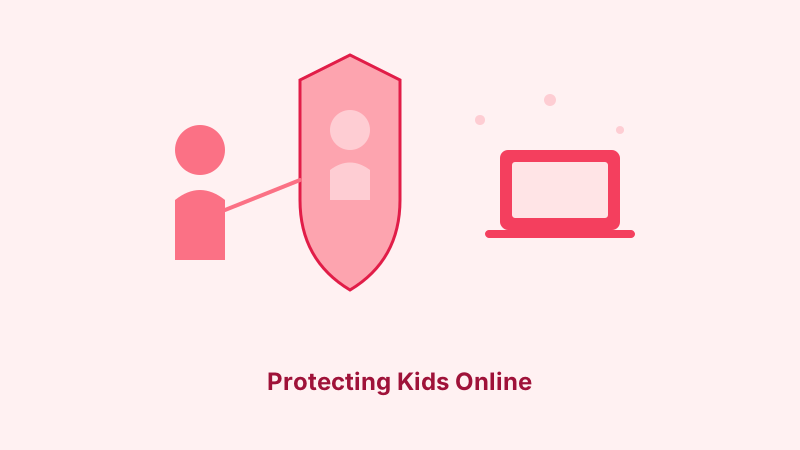
The internet offers children incredible opportunities for learning, creativity, and connection. But it also exposes them to risks that most kids aren’t equipped to handle on their own — from cyberbullying and inappropriate content to privacy violations and online predators. As a parent, navigating this digital landscape can feel overwhelming.
The good news is that you don’t need to be a tech expert to keep your kids safe online. With the right combination of tools, conversations, and boundaries, you can help your children enjoy the benefits of the internet while minimizing the risks. This guide covers practical, actionable steps for parents of children at every age.
Understanding the Risks Children Face Online
Before you can protect your kids, it helps to understand what you’re protecting them from. The online risks children face fall into several categories, and being aware of them helps you have informed conversations and set appropriate boundaries.
Inappropriate Content
The internet contains content that’s inappropriate for children of all ages — from graphic violence and pornography to extremist ideologies and dangerous challenges. While some of this content requires actively seeking it out, much of it can appear unexpectedly through search results, social media feeds, or links shared by peers.
Children are naturally curious, and accidental exposure to disturbing content can be distressing. Younger children may not understand what they’ve seen, while older children may seek out inappropriate content deliberately. Both situations require different but equally thoughtful responses.
Cyberbullying
Cyberbullying is one of the most common online threats children face. Unlike traditional bullying, it can follow children home from school, happen 24 hours a day, and reach a wide audience instantly. Cyberbullying includes harassment through messaging apps, public shaming on social media, exclusion from online groups, and sharing embarrassing photos or information.
The anonymity and distance of online communication can make bullying more severe, as aggressors say things they might never say face to face. For victims, the persistent and public nature of cyberbullying can cause significant emotional harm.
Online Predators
Predators use the internet to identify and groom potential victims, often through social media, gaming platforms, and chat apps. They typically build trust over time by showing interest, offering compliments, and gradually moving conversations toward inappropriate territory.
Children and teens who feel lonely, isolated, or misunderstood are particularly vulnerable, as predators specifically look for and exploit these emotional needs. Understanding how grooming works helps parents recognize warning signs early.
Privacy and Data Collection
Children often share personal information online without understanding the consequences. A seemingly harmless social media post can reveal their school, daily routine, location, and family details. Many apps and websites also collect data from young users, sometimes in violation of children’s privacy laws.
Teaching children about protecting personal data should start early and be reinforced regularly. Even basic concepts like not sharing their full name, address, or school name with strangers make a meaningful difference.
Scams and Phishing
Children and teens are increasingly targeted by scams, from fake giveaways on social media to phishing messages designed to steal account credentials. Younger users are less likely to recognize the warning signs of a scam and more likely to click on malicious links or share sensitive information.
Gaming platforms are a particularly common vector, with scammers offering free in-game currency, rare items, or hacked accounts in exchange for login credentials or personal information.
Age-Appropriate Online Safety Strategies
Children’s online needs and risks change as they grow. What works for a six-year-old won’t work for a teenager. Here’s how to adapt your approach.
Ages 5-7: The Foundation Years
At this age, children should only use the internet with direct adult supervision. Their online activity should be limited to age-appropriate educational apps, games, and videos that you’ve vetted in advance.
Key actions:
- Use a child-specific device or a strictly controlled profile on a family device
- Enable parental controls on all devices and streaming services
- Sit with your child during screen time
- Teach basic rules: don’t click on pop-ups, tell a parent if something scary appears
- Keep devices in common areas, never in bedrooms
- Start the conversation about online strangers — just as they wouldn’t talk to strangers at the park alone, the same applies online
Ages 8-10: Building Awareness
Children at this age start wanting more independence online and may encounter the internet at friends’ houses or at school. They’re old enough to understand basic online safety concepts but still need significant oversight.
Key actions:
- Continue using parental controls and content filters
- Begin teaching about personal information — what’s safe to share and what isn’t
- Discuss why not everyone online is who they claim to be
- Start conversations about cyberbullying — both as a potential victim and as someone who should never participate
- Review their online activity regularly and discuss what they’ve been doing
- Introduce the concept of a digital footprint — things posted online can last forever
Ages 11-13: The Social Media Transition
This is often the most challenging phase. Children are entering middle school, facing social pressure to join social media, and developing a stronger desire for privacy and independence. Most social media platforms require users to be at least 13, though many younger children create accounts anyway.
Key actions:
- If allowing social media, set up accounts together and review privacy settings side by side
- Make accounts private by default
- Discuss what’s appropriate to post — the “grandmother test” (would you want your grandmother to see this?) is a useful framework
- Establish clear rules about accepting friend requests and communicating with strangers
- Talk about the difference between real friendship and online connections
- Address sexting directly — explain the legal and personal consequences
- Monitor without hovering — check in regularly rather than reading every message
Ages 14-17: Trust and Responsibility
Teenagers need increasing digital independence, but they also face the most sophisticated online risks. The goal shifts from direct control to building judgment and maintaining open communication.
Key actions:
- Gradually reduce monitoring as trust is earned
- Have ongoing conversations about current online risks and news stories
- Discuss digital reputation and how it can affect college admissions and future employment
- Talk about the emotional manipulation tactics used by predators and scammers
- Ensure they know how to report concerning behavior on any platform they use
- Address the risks of meeting online acquaintances in person
- Discuss responsible content creation — posting, commenting, and sharing
- Trust but verify — maintain the ability to check in when something seems off
Setting Up Parental Controls
Parental controls are tools, not solutions. They work best as one part of a comprehensive approach that includes education, communication, and supervision. No filter catches everything, and determined older children can often find ways around them. But controls remain valuable for younger children and as a safety net for all ages.
Device-Level Controls
iOS (iPhone/iPad): Screen Time settings let you set app limits, restrict content by age rating, block specific websites, prevent app installations, and control who your child can communicate with. Set a Screen Time passcode that’s different from the device passcode.
Android: Family Link provides similar controls — app management, screen time limits, content filters, and location tracking. It works through a parent’s Google account linked to the child’s device.
Windows: Microsoft Family Safety offers content filtering, screen time management, app restrictions, and activity reporting. It works across Windows devices and Xbox.
Mac: Screen Time (similar to iOS) provides app limits, content restrictions, and communication controls across Apple devices signed in with a child’s Apple ID.
Network-Level Controls
For broader protection, consider setting up filtering at your home network level. Services like OpenDNS Family Shield or CleanBrowsing can block inappropriate content across all devices on your network — including smart TVs, gaming consoles, and IoT devices that don’t support individual parental controls.
This approach has the advantage of covering every device in your home without needing to configure each one separately. However, it doesn’t protect devices when they’re on other networks (like school or a friend’s house), so it works best alongside device-level controls.
App and Platform Controls
Every major platform used by children offers some form of parental controls:
- YouTube: YouTube Kids app for younger children; Restricted Mode for older ones
- Gaming consoles: PlayStation, Xbox, and Nintendo Switch all have parental control apps
- Streaming services: Netflix, Disney+, and other services offer kid profiles with content restrictions
- Gaming platforms: Steam, Epic Games, and Roblox have parental control options
Take time to explore the settings on every platform your child uses. The default settings are rarely the safest options.
Having Effective Conversations About Online Safety
Technical controls are important, but the most powerful safety tool is open, ongoing communication with your children. Kids who feel comfortable talking to their parents about online experiences are much more likely to report problems early.
Create a Judgment-Free Zone
The number one reason children don’t tell parents about online problems is fear of punishment — specifically, fear of losing their device or internet access. Make it clear that your child can always come to you with a problem, even if they were doing something they weren’t supposed to, without automatically losing their technology privileges.
This doesn’t mean there are no consequences for breaking rules, but it means the priority is addressing the safety issue first. A child who’s being groomed by a predator needs help, not punishment for talking to a stranger. A child who accidentally stumbled onto disturbing content needs reassurance, not a lecture about what websites they shouldn’t visit.
Ask Open-Ended Questions
Instead of yes/no questions like “Did anything bad happen online today?”, try conversation starters that invite sharing:
- “What’s the most interesting thing you saw online today?”
- “Is there anything you’ve seen online recently that confused you or made you uncomfortable?”
- “What are your friends talking about on social media lately?”
- “Have you ever seen someone being mean to someone else online? What happened?”
- “Is there an app or website your friends use that you’re curious about?”
Regular, low-pressure conversations about online life normalize the topic and make it easier for your child to bring up concerns when they arise.
Teach Critical Thinking
Help your children develop the skills to evaluate online information and situations for themselves. This is more sustainable than any content filter because it prepares them for independent decision-making.
Teach them to question who created a piece of content and why. Discuss how photos and videos can be manipulated. Show them how to verify information through multiple sources. Role-play scenarios where someone online asks for personal information or suggests meeting in person. The goal is to develop their judgment, not just their obedience.
Dealing With Cyberbullying
If your child is being cyberbullied, how you respond matters enormously. Here’s a practical framework.
Recognize the Signs
Children being bullied online may not tell you directly. Watch for changes in behavior: reluctance to use their devices, emotional distress during or after using technology, withdrawal from friends or activities, declining school performance, changes in eating or sleeping patterns, or reluctance to talk about their online activity.
Respond Supportively
When your child reports cyberbullying, listen without overreacting. Validate their feelings, assure them it’s not their fault, and resist the urge to immediately take away their devices (this punishes the victim, not the bully). Ask what they’d like to do about the situation and work together on a plan.
Take Practical Steps
Document the bullying by saving screenshots, messages, and any relevant evidence. Block the bully on all platforms. Report the behavior to the platform, which can remove content and ban accounts. If the bullying involves threats, sexual content, or someone from their school, contact the school administration and consider involving law enforcement.
Know When to Seek Help
If your child shows signs of depression, anxiety, self-harm, or suicidal thoughts related to cyberbullying, seek professional help immediately. The Crisis Text Line (text HOME to 741741) provides free, 24/7 support for young people in crisis.
Protecting Children’s Privacy Online
Children often don’t grasp how much information they’re sharing or how it might be used. Teaching privacy concepts early builds habits that will serve them throughout their digital lives.
Personal Information Boundaries
Create clear rules about what information is never shared online: full name (use a nickname or first name only), home address, school name, phone number, daily schedule, vacation plans, and photos that reveal their location. These rules should apply to all platforms, including gaming chats and private messages.
Social Media Privacy Settings
If your teen uses social media, set up accounts together and configure the strongest privacy settings available. Make profiles private so only approved followers can see posts. Disable location tagging in posts and photos. Turn off the ability for strangers to send direct messages. Our complete guide to social media privacy settings walks through the process for every major platform.
Photo and Video Safety
Teach children to think before posting any photo or video. Once something is shared online, it can be screenshot, saved, and reshared beyond their control. This is especially important for teens who may face pressure to share revealing photos — explain that these images can surface years later with devastating consequences.
Younger children’s photos shared by parents (sharenting) also deserve consideration. Avoid posting photos that show your child’s school uniform, home exterior, or regular locations. Consider whether your child would be comfortable with the photo when they’re older.
Screen Time and Digital Wellness
While this guide focuses on safety, the amount of time children spend online also affects their wellbeing. Excessive screen time is linked to sleep problems, reduced physical activity, and attention difficulties in children.
Setting Healthy Boundaries
Rather than rigid time limits alone, focus on ensuring screen time doesn’t displace essential activities: sleep, physical activity, homework, family time, and face-to-face socializing. Create tech-free zones (bedrooms, dinner table) and tech-free times (an hour before bed, during meals).
Encourage active screen time (creating, learning, socializing with real friends) over passive consumption (endless scrolling, binge-watching). Not all screen time is equal, and helping children develop a healthy relationship with technology is more valuable than simply counting minutes.
Modeling Good Behavior
Children learn more from what you do than what you say. If you’re constantly on your phone during family time, your rules about screen time will ring hollow. Model the digital habits you want your children to develop — put your phone away during meals, don’t check email during family activities, and show that you too can enjoy time without screens.
Building a Family Technology Agreement
A family technology agreement is a written document that outlines expectations and rules for everyone in the family — including parents. Having rules in writing prevents arguments about what was agreed upon and gives children clear boundaries to work within.
What to Include
A good family technology agreement covers device usage times, which apps and platforms are allowed, privacy rules for personal information, expectations around sharing passwords with parents, consequences for breaking rules, and the circumstances under which rules might change as the child demonstrates responsibility.
Make the agreement collaborative. When children help create the rules, they’re more invested in following them. Revisit and update the agreement regularly as your children grow and their needs change.
Resources for Parents
You don’t have to figure everything out alone. These organizations offer excellent resources for parents navigating children’s online safety:
- Common Sense Media — reviews and ratings for apps, games, movies, and TV shows, plus advice for parents
- National Center for Missing & Exploited Children (NCMEC) — resources for online exploitation prevention and reporting
- ConnectSafely — research-based safety tips and guides for parents
- Family Online Safety Institute (FOSI) — tools and resources for creating a safer online environment
If you suspect a child is being exploited online, report it to the CyberTipline at CyberTipline.org or call 1-800-843-5678.
Conclusion
Keeping children safe online is an ongoing process, not a one-time setup. The digital landscape changes constantly, and your approach needs to evolve alongside your child’s age, maturity, and online activities. The combination of appropriate technical controls, open communication, and ongoing education gives your children the best chance of having a safe and positive online experience.
Start with the basics — set up parental controls, have your first conversation about online safety, and establish clear family rules. As you go, teach your children about recognizing phishing attempts so they can spot scams, walk them through protecting their personal data, and help them understand why strong passwords matter for their accounts too.
The goal isn’t to make your children afraid of the internet — it’s to give them the knowledge and judgment to navigate it safely. With your guidance, they can enjoy everything the online world has to offer while avoiding its darker corners.