Your messages contain some of the most personal information in your digital life — private conversations, photos, financial details, medical information, and intimate thoughts shared with people you trust. Yet most people give little thought to how well their messaging app actually protects this information.
Not all messaging apps are created equal when it comes to security and privacy. Some encrypt your messages so thoroughly that even the app’s developers can’t read them. Others encrypt messages in transit but store them on servers where they could be accessed. And some collect extensive metadata about who you talk to, when, and how often — information that can be just as revealing as the messages themselves.
This guide breaks down how the major messaging apps handle your privacy so you can make an informed choice.
The short answer: if you want the most secure messaging app available today, that’s Signal — on iPhone, Android, or desktop alike. The rest of this guide explains why, and covers the honest tradeoffs of the alternatives you’re probably already using.
What Makes Messaging Truly Secure
Before comparing specific apps, it’s important to understand what “secure” actually means in the context of messaging.
End-to-End Encryption
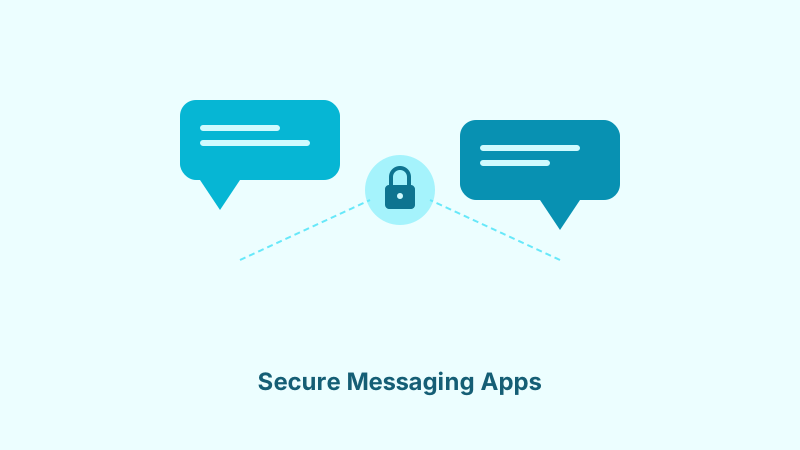
End-to-end encryption (E2EE) means your messages are encrypted on your device and can only be decrypted by the recipient’s device. Nobody in between — not the app developer, not your internet provider, not hackers intercepting the data — can read the content. Think of it as sealing your message in a locked box that only the recipient has the key to open.
Without E2EE, your messages may be encrypted during transmission (so your internet provider can’t read them), but the messaging service itself can access them. This means your messages could be read by company employees, turned over to governments, or exposed in a data breach.
Metadata Protection
Even with end-to-end encryption, your messaging app might collect metadata — information about your messages that doesn’t include the content itself. Metadata includes who you message, when, how often, how long your calls last, your IP address, and your phone number. This metadata can reveal remarkably detailed information about your life, relationships, and habits.
Truly secure messaging minimizes metadata collection. The less the service knows about your communication patterns, the less there is to be exposed, sold, or handed over.
Open Source Code
When a messaging app’s code is open source, independent security researchers can examine it to verify that the encryption works as claimed and that there are no hidden backdoors or vulnerabilities. Closed-source apps require you to trust the company’s claims without independent verification. The most trusted secure messaging apps make their code publicly available for scrutiny.
Signal: The Gold Standard
Signal is widely regarded as the most secure messaging app available to the general public. It’s recommended by security researchers, privacy advocates, and organizations like the Electronic Frontier Foundation.
Security and Privacy
Signal uses the Signal Protocol for end-to-end encryption — the same protocol that other apps have adopted for their own encryption. Messages, voice calls, video calls, and group chats are all encrypted end-to-end by default. There’s no option to send unencrypted messages, which eliminates the risk of accidentally communicating without protection.
Signal collects virtually no metadata. The only information Signal stores about you is your phone number and the date you registered. It doesn’t record who you message, when, or how often. When governments have subpoenaed Signal for user data, the company has been able to provide almost nothing because it simply doesn’t have the data to give.
Features
Signal offers text messaging, voice and video calls, group chats, disappearing messages with customizable timers, file sharing, and stories. While its feature set isn’t as extensive as some competitors, it covers everything most people need. The app is free, with no ads or tracking, funded primarily by donations through the Signal Foundation.
Limitations
Signal requires a phone number to register, which some privacy-conscious users dislike. Its user base, while growing, is smaller than WhatsApp or Telegram, so you may not find all your contacts there. The feature set is more utilitarian than flashy — if you want stickers, games, and social media-style features, Signal keeps things simpler.
WhatsApp: Convenient but Compromised
WhatsApp is the world’s most popular messaging app with over two billion users. It uses the Signal Protocol for end-to-end encryption, which provides strong message security. However, its ownership by Meta (Facebook) raises significant privacy concerns.
Security and Privacy
WhatsApp encrypts messages end-to-end by default, which means Meta cannot read your message content. Voice calls, video calls, and group chats up to a certain size are also encrypted. From a pure message security standpoint, WhatsApp’s encryption is robust.
The privacy picture is more complicated. WhatsApp collects substantial metadata including your phone number, contacts, usage patterns, device information, IP address, and interaction data. This metadata is shared with Meta’s other services for advertising and other purposes. While Meta can’t read your messages, it knows a great deal about who you communicate with and how you use the app.
WhatsApp’s cloud backup feature also deserves attention. If you back up your chats to Google Drive or iCloud, those backups have historically not been end-to-end encrypted, potentially exposing your message history. WhatsApp has introduced encrypted backups as an option, but it must be manually enabled.
Features
WhatsApp’s feature set is extensive — text, voice and video calls, group chats with large capacity, status updates, file sharing, location sharing, business features, and integration with Meta’s ecosystem. Its massive user base means most of your contacts are probably already on the platform.
The Verdict
WhatsApp is a reasonable choice if your primary concern is message content security and you accept Meta’s metadata collection. It’s not the best choice if you want comprehensive privacy protection.
Telegram: Popular but Misleading
Telegram is often mentioned alongside Signal as a secure messaging app, but this reputation is largely undeserved. While Telegram offers some security features, its default settings provide less protection than many users realize.
Security and Privacy
Regular Telegram chats are not end-to-end encrypted. Messages are encrypted between your device and Telegram’s servers, and between the servers and the recipient, but Telegram itself can access the content. Only “Secret Chats” — a separate feature that must be manually initiated — use end-to-end encryption, and Secret Chats don’t work for group messages.
This means that for the vast majority of Telegram conversations, the company holds the encryption keys and can read your messages. Telegram’s servers store your messages in the cloud, which enables seamless multi-device access but means your conversation history sits on Telegram’s infrastructure.
Telegram uses its own proprietary encryption protocol called MTProto rather than the widely vetted Signal Protocol. While MTProto has undergone some review, it hasn’t received the same level of scrutiny from the security community, and some cryptographers have raised concerns about its design choices.
Features
Where Telegram excels is features. It supports massive group chats (up to 200,000 members), channels for broadcasting to unlimited audiences, bots, file sharing up to 2GB, and an extensive set of customization options. These features make Telegram popular for communities and content distribution, even if its security isn’t as strong as alternatives.
The Verdict
Telegram is a powerful communication platform, but calling it a secure messenger is misleading. If you use Telegram, understand that your regular chats are accessible to the company. Use it for communities and public discussion, but choose Signal for genuinely private conversations.
iMessage: Great Within the Apple Ecosystem
Apple’s iMessage provides strong security for communication between Apple devices but has notable limitations.
Security and Privacy
iMessage uses end-to-end encryption for messages between Apple devices. Apple states it cannot read your iMessages, and the company’s track record on user privacy is generally strong. Apple also provides transparency reports about government data requests.
However, iMessage’s security depends on iCloud settings. If you back up your iPhone to iCloud without Advanced Data Protection enabled, your messages are included in the backup, and Apple holds the encryption keys to iCloud backups. Enabling Advanced Data Protection extends end-to-end encryption to iCloud backups, closing this gap.
Messages sent to non-Apple devices fall back to SMS or RCS, which have significantly weaker security. This is a major limitation if your contacts use a mix of Apple and Android devices.
The Verdict
iMessage is a solid choice for privacy if everyone you communicate with uses Apple devices and you’ve enabled Advanced Data Protection. For cross-platform communication, you’ll need a separate solution.
Secure Messaging on iPhone Specifically
iOS users have it slightly easier than Android users, because the two strongest options — Signal and iMessage — are both native, well-maintained apps rather than afterthoughts.
- If your contacts are a mix of iPhone and Android: install Signal. It’s in the App Store, has full feature parity with the Android version, and doesn’t leak metadata to Apple or anyone else the way SMS fallback does.
- If everyone you message is also on iPhone: iMessage is genuinely secure, but only after you turn on Advanced Data Protection (Settings → [your name] → iCloud → Advanced Data Protection). Without it, Apple holds the encryption keys to your iCloud backups, which include your message history.
- Avoid relying on plain SMS/RCS fallback. iMessage silently drops to unencrypted SMS when you text a non-Apple number — recognizable by the green bubble. That conversation gets none of iMessage’s protection.
- Third-party keyboard apps on iOS can technically observe what you type before it’s encrypted. Stick to Apple’s default keyboard for anything sensitive.
Making Your Choice
The right messaging app depends on your priorities and your contacts’ willingness to switch.
For Maximum Privacy
Use Signal. It offers the strongest combination of encryption, minimal metadata collection, open-source code, and an independent non-profit structure. If privacy is your priority, Signal is the clear choice.
For Everyday Convenience
WhatsApp offers strong message encryption with the widest reach. Accept that Meta collects metadata, and enable encrypted backups for the best protection within that platform.
For Communities and Groups
Telegram’s community features are unmatched. Use it for public or semi-public communication, but don’t rely on it for truly private conversations.
A Practical Approach
Many people use multiple messaging apps for different purposes. Signal for private conversations, WhatsApp for groups where everyone is already on the platform, and other apps as needed. What matters most is understanding each app’s actual security properties so you can match the tool to the sensitivity of the conversation.
The Bottom Line
The messaging app you choose has real implications for your privacy. End-to-end encryption is essential but not sufficient — metadata collection, backup practices, and the company’s business model all matter. Signal offers the best all-around privacy protection, but the most important thing is making an informed choice rather than defaulting to whatever came pre-installed on your phone. Your private conversations deserve genuine protection.
Remember that secure messaging is just one layer of your privacy setup. Protect the accounts behind your apps with two-factor authentication and a password manager, and be extra careful when chatting over public WiFi.